
CPU terminology gets dense fast. Cores, threads, boost clocks, TDP, cache, platform — none of it tells you what you actually need to know when you’re trying to decide between two processors. This guide cuts through it.
Whether you’re building a gaming desktop, speccing a workstation, or trying to make sense of a laptop spec sheet, here is what the numbers actually mean.
What a CPU actually does
The CPU (Central Processing Unit) is the brain of any computer. It handles the logic for everything your operating system and applications ask of it: running game engines, executing instructions, managing background processes. It works alongside the GPU on graphical tasks, but most of a game’s physics, AI and simulation logic runs through the CPU.
For gaming, the CPU matters most in two situations: when you’re running a CPU-heavy game (open-world titles, strategy games, simulation games) and when you’re gaming at high frame rates at lower resolutions. 1080p gaming tends to be more CPU-limited than 4K, where the GPU becomes the bottleneck first.
Intel vs AMD: the short version
For most of the 2010s, Intel dominated the consumer CPU market with higher single-core performance. AMD changed that in 2017 with Ryzen, and the two companies have been trading blows ever since.
In 2026, both manufacturers offer competitive products at every price tier. AMD’s current mainstream platform is the Ryzen 7000 and 9000 series on the AM5 socket (DDR5). Intel’s current generation is Core Ultra 200 series on LGA1851 (also DDR5), though older 13th and 14th Gen chips on LGA1700 still represent excellent value and are widely available.
Neither brand is universally better. The right choice depends on what you’re doing, what platform you’re already on, and what the prices look like when you’re buying.
Core counts: more is not always better for gaming
Cores are the individual processing units inside a CPU. A six-core chip can handle six tasks simultaneously. An eight-core chip can handle eight. Modern CPUs also use hyperthreading or Simultaneous Multi-Threading (SMT), which makes each physical core appear as two logical processors to the operating system.
Here is what most spec sheets don’t tell you: gaming rarely uses more than six to eight cores effectively. The majority of games are not written to scale across 16 or 32 cores. A six-core Ryzen 5 will frequently match or beat a 12-core chip in gaming benchmarks, because the game can’t distribute its workload across cores it hasn’t been designed to use.
Where core counts genuinely matter:
- Video editing and rendering — scales very well with more cores, particularly in Adobe Premiere, DaVinci Resolve and Blender
- 3D modelling and simulation — the more cores you can use, the faster jobs complete
- Streaming while gaming — additional cores help with software encoding without hurting frame rates
- Virtual machines — each VM consumes dedicated core allocations
For a dedicated gaming machine, six to eight cores at high clock speeds will outperform 16 cores at lower clocks in almost every game released today. Buy cores for production work, not for gaming.
Clock speeds: where gaming performance actually lives
Clock speed is measured in GHz and describes how many processing cycles per second a CPU can complete. A core running at 5.0GHz handles more instructions per second than one at 3.5GHz. Games are largely single-threaded in their most performance-critical code paths, which means they benefit directly from higher clock speeds rather than more cores.
Modern CPUs have two headline figures: base clock (the sustained minimum) and boost clock (the peak the chip reaches under optimal conditions). The boost figure is what you’ll mostly be running in games.
Intel has historically led on raw clock speeds. Their Core Ultra and previous-generation 13th and 14th Gen chips boost to 5.5GHz and above. AMD Ryzen 7000 and 9000 series typically reach 5.0–5.7GHz depending on the tier. The gap has narrowed significantly, and real-world gaming performance between same-tier chips from either brand is often within a few percent.
TDP: what it means and why it matters
TDP stands for Thermal Design Power, measured in watts. It represents the heat your cooling system needs to dissipate to keep the chip running at its rated speeds. A 65W chip runs cooler and quieter than a 125W one; a 125W chip can sustain higher performance but needs a more capable cooler.
In practice:
- 65W TDP (AMD non-X chips like Ryzen 7 7700, Intel locked variants) — runs happily on a decent air cooler, produces less heat, good for smaller cases and quieter builds
- 125W TDP (AMD X-series, Intel K-series) — needs proper cooling, at minimum a mid-range tower cooler, ideally a 240mm AIO
- 170W+ TDP (AMD X3D flagships, Intel Core Ultra 9 at full power) — needs substantial cooling, generates serious heat in enclosed cases
Higher TDP does not automatically mean better gaming performance. AMD’s 65W Ryzen 7 7700 delivers nearly identical gaming results to the 125W Ryzen 7 7700X in most titles, because gaming workloads rarely push a chip to its sustained power limits. If you’re not doing heavy production work, the non-X version saves money on both the chip and the cooler.
AMD
-
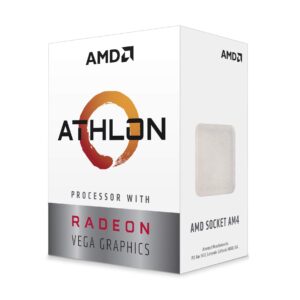
AMD Athlon 3000G Dual-Core 3.5GHz AM4 Processor with Radeon Vega 3 Graphics
£53.99 -
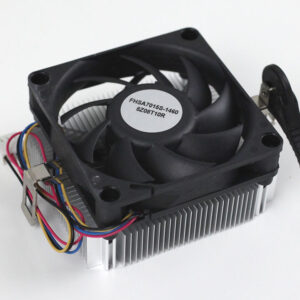
AMD Athlon 3000G Dual-Core Processor with Radeon Vega 3 Graphics and Cooler
£53.99 -
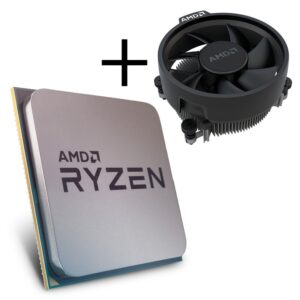
AMD Ryzen 3 3200G Quad-Core Processor with Radeon Vega 8 Graphics & Cooler
£77.99 -
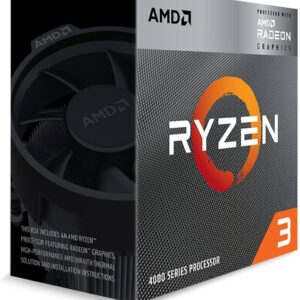
AMD Ryzen 3 4300G 3.8GHz Quad Core Processor with Radeon Graphics
£119.99
Platform: sockets and what locks you in
The socket is the physical interface between the CPU and motherboard. Choose a CPU and you’re choosing a platform — and changing platform means buying a new motherboard (and potentially new RAM).
AM5 (AMD) — used by all Ryzen 7000 and 9000 series chips. Requires DDR5. AMD has committed to supporting AM5 through at least 2027, which means you can upgrade from a Ryzen 5 7600 to a Ryzen 9 9950X without changing the motherboard. If you’re building a system you plan to upgrade incrementally, AM5 is the more future-proof choice.
LGA1851 (Intel Core Ultra 200) — Intel’s current socket for the Arrow Lake generation. Requires DDR5. Intel changes sockets more frequently than AMD, so upgrade paths within a platform are more limited.
LGA1700 (Intel 12th–14th Gen) — an older socket that supports DDR4 or DDR5 depending on the board. Still widely available and genuinely excellent value at the mid-range. A Core i7-13700K or i9-14900K on LGA1700 remains a strong gaming and production platform. Useful if you already have DDR4 RAM you want to keep.
AMD’s 3D V-Cache: why it changes the gaming conversation
One AMD-specific technology worth understanding: 3D V-Cache. AMD’s X3D chips — Ryzen 7 7800X3D, Ryzen 9 9950X3D and others — stack additional L3 cache directly onto the processor die using advanced packaging.
Games are cache-hungry. They constantly pull game state, AI tables, asset data and physics calculations from memory, and the round-trip time to system RAM adds latency. A processor with a much larger L3 cache can hold more of this working data locally, avoiding those slow memory accesses. The result is that X3D chips consistently lead gaming benchmarks by a meaningful margin over what their clock speeds alone would predict — sometimes 10–20% ahead of equivalently priced non-X3D parts.
If gaming performance is your primary goal and budget allows, an X3D chip is usually the strongest choice regardless of the rest of your build. The Ryzen 7 7800X3D in particular has become the go-to recommendation for gaming-first builds at its price point.
Laptop CPUs: U, H and HX explained
Laptop processors use the same architecture as their desktop counterparts but run at lower power envelopes, which affects performance and battery life.
U-series (15W) — ultra-low power chips designed for thin-and-light laptops. Suitable for office work and everyday use. Not what you want for gaming or sustained heavy workloads.
H-series (45W) — the standard for gaming laptops. Good performance in a reasonably thin chassis with manageable thermals. Most 15-inch gaming and creator laptops use H-series processors.
HX-series (55W+) — desktop-class performance in a laptop. Used in large, heavy gaming or workstation machines. Performance close to desktop equivalents, at the cost of louder fans and significantly shorter battery life.
When reading laptop specs, always look for the full CPU designation rather than just the model number. Manufacturers regularly sell the same chassis with both H and U chips at different price points — the difference in performance is substantial.
How much CPU do you actually need?
- Budget (under £150): Ryzen 5 7600 or Core i5-13400F. Both deliver excellent 1080p gaming. Pair with a discrete GPU and spend the rest on graphics.
- Midrange (£150–250): Ryzen 7 7700X, Core i7-13700K, or Core Ultra 5 245K. Handles 1440p gaming, light streaming and everyday production work without compromise.
- High-end (£250–400): Ryzen 7 7800X3D for pure gaming leadership. Core Ultra 7 265K for a balance of gaming and heavier production workloads.
- Workstation (£400+): Ryzen 9 9950X3D or Core Ultra 9 285K. Only justifiable if you’re running serious content creation or professional simulation work alongside gaming.
What to check before you buy
- Socket compatibility with your existing or planned motherboard
- DDR4 vs DDR5 — does your board support the RAM you already have?
- Cooler compatibility — check the CPU’s TDP against your cooler’s rated capacity, and confirm the socket is supported
- Whether a cooler is included — AMD Ryzen non-X chips usually include one; Intel K-series does not
- Integrated graphics — if you’re building without a GPU initially, Intel Core Ultra 200 chips include Intel Arc integrated graphics; most AMD Ryzen X-series chips have no iGPU
Quick reference
| CPU | Best for | Socket | RAM |
|---|---|---|---|
| Ryzen 5 7600 | Budget gaming | AM5 | DDR5 |
| Ryzen 7 7700 | Efficient midrange | AM5 | DDR5 |
| Ryzen 7 7800X3D | Gaming-first builds | AM5 | DDR5 |
| Ryzen 9 9950X3D | Gaming + production flagship | AM5 | DDR5 |
| Core i5-13400F | Budget gaming + value | LGA1700 | DDR4/5 |
| Core i7-13700K | Midrange gaming + production | LGA1700 | DDR4/5 |
| Core Ultra 5 245K | Current-gen midrange | LGA1851 | DDR5 |
| Core Ultra 7 265K | Current-gen high-end | LGA1851 | DDR5 |
The right CPU is the one that matches your platform, your cooling budget, and what the rest of your system is actually doing. Don’t buy 16 cores for gaming — put that money into the GPU instead.
Browse our range of desktop PCs and laptops for fully specced systems ready to go, or check out components if you’re building from scratch. If you’re still figuring out your RAM alongside the CPU, our RAM types guide covers everything you need to know.